Thursday, January 22, 2026

Week 21b 2026 Board Game

January 20 - 23, 2026 

GDF1 - Game Development Fundamentals 1:  Assignment: Board Game: Strategy

Objective: Design a board game layout.
Assignment: Board Game: Strategy
Details: Create a board game. Use Illustrator to create shapes to layout the board. Include a background color, text that would fits your idea for your board game. Include instructions on how to play the game. 

Size: 12 x 12 inches.
Save As:  05_BoardGame_XX.ai
Export As:  05_BoardGame_XX.jpg

Example: First draft or your board game.


Tuesday, January 20, 2026

Week 21 2026 Game Name

January 20 - 23, 2026 


002 GDF1 - Game Development Fundamentals 1:  Assignment: Game Name

Objective: Develop a Game Name.
Assignment: Game Name

Links: Adobe Express, Convert Video to Gif: https://ezgif.com/
Details: Create a title page for a video game you would like to create. Use Adobe Illustrator to create this graphic. Include a background color, text and character or characters from other games that would fit your idea for a game. 


Size: 1920 x 1080 pixels. Resolution: 72dpi
Save As:  04_GameName_XX.ai
Export As:  04_GameName_XX.jpg


Wednesday, December 17, 2025

Week 18 2025 Spaceship Game

December 15-19, 2025 


Objective: Model objects.
Assignment: Spaceship Game
Details: Create a spaceship

Friday, December 5, 2025

Week 17 2025 PlayCanvas Robot Movement

December 8 - 12, 2025 

Objective: Exploring 3D Game Engine.
Assignment: PlayCanvas Robot Movement

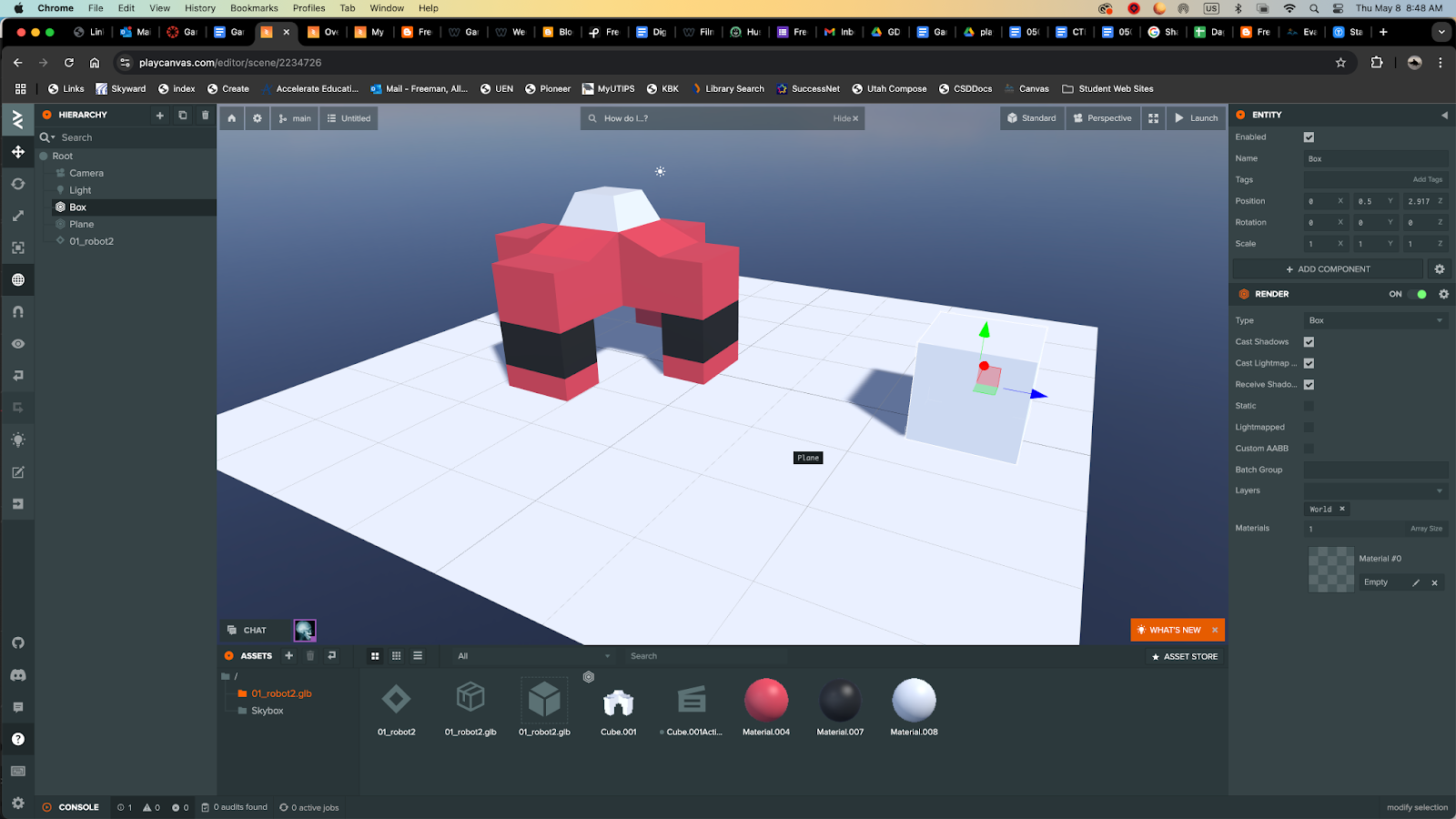
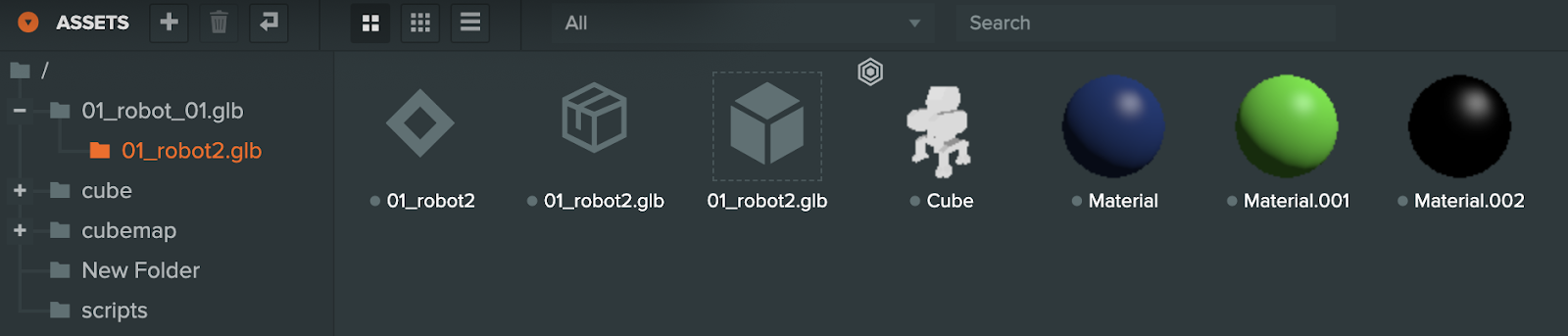
Details: Export one robot as a .glb file. Import  into Play Canvas.

Importing Blender Robot into  PlayCanvas:

1. Open Blender file and save as to create a duplicate.

2. Delete everything except your robot.

Press A / Hold down shift to deselect your robot / press X

Move robot to 0 access

File / Export / glTF 2.0 (.glb/.gltf)

Open PlayCanvasCreate a new document.

2. Drag and drop your .glb file to the assets (robot2.glb)

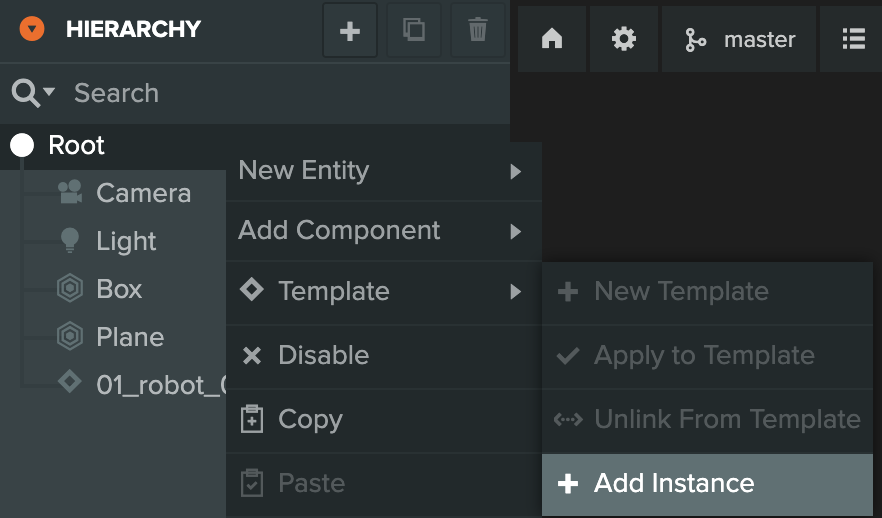
3. Right mouse click on Root /Templet / +Add Instance. Chose your robot below in the assets.

Resources:

Importing your first model and animation - PlayCanvas Tutorials

https://www.youtube.com/watch?v=r0LYQw7laRA&t=92s
https://developer.playcanvas.com/user-manual/


Movement:
PlayCanvas: How to create movement. Video Tutorial


My First Project: 


Monday, November 24, 2025

Week 15 2025 PlayCanvas Basics

November 24 - 25, 2025 


Objective: Exploring 3D Game Engine.
Assignment: PlayCanvas Basics
Details: Create an account in Play Canvas. Use your personal email, not csddocs email.


My First Project: 


Monday, November 10, 2025

Week 13 2025 Animation

 November 10 - 14, 2025 


Objective: Animate objects.
Assignment: Animation [1v1] 50 pts
Details: Animate your game to show how it is played. 
Video Tutorial: Animating Objects. Render Animation.


Objective: Create 3D Text
Assignment: Game Title [1v1] 50 pts
Details: Create a name and a title for your game and export it as a still image.
Link: https://www.dafont.com/
Video Tutorial: Create 3D Text.


Week 2 2026 Board Game Pieces

August 24-28, 2026  Assignment: Board Game Pieces. Illustrator is a Vector based tool used to create logos, clip art, t-shirt designs, an...